
Download 3Herosoft Video Converter – Video Format Conversion Tool, Mobile App, Utility, Productivity
Overview
3Herosoft Video Converter is a specialized utility designed to solve the persistent challenge of video format incompatibility across devices and media players. The app enables users to convert video files into formats that are compatible with a wide range of hardware, including smartphones, gaming consoles, and home entertainment systems. Its primary purpose is to streamline the process of preparing videos for playback on different platforms, eliminating the frustration of unsupported file types. This tool is particularly useful for individuals who frequently transfer media between devices or manage large video libraries across multiple ecosystems.
Target users include casual media consumers, digital content organizers, and users of older or non-standard devices that lack native support for modern video codecs. While the developer did not provide additional background information, the app’s long-standing presence in the market since its release on October 4, 2010, suggests a degree of reliability and user trust. Real-world use cases include preparing videos for playback on an iPhone, converting large files for storage on a PS3, or adapting content for viewing on a smart TV. In the broader app ecosystem, 3Herosoft Video Converter fills a niche role as a cross-platform media compatibility solution, offering a straightforward alternative to more complex video editing software.
Key Features & Functionality
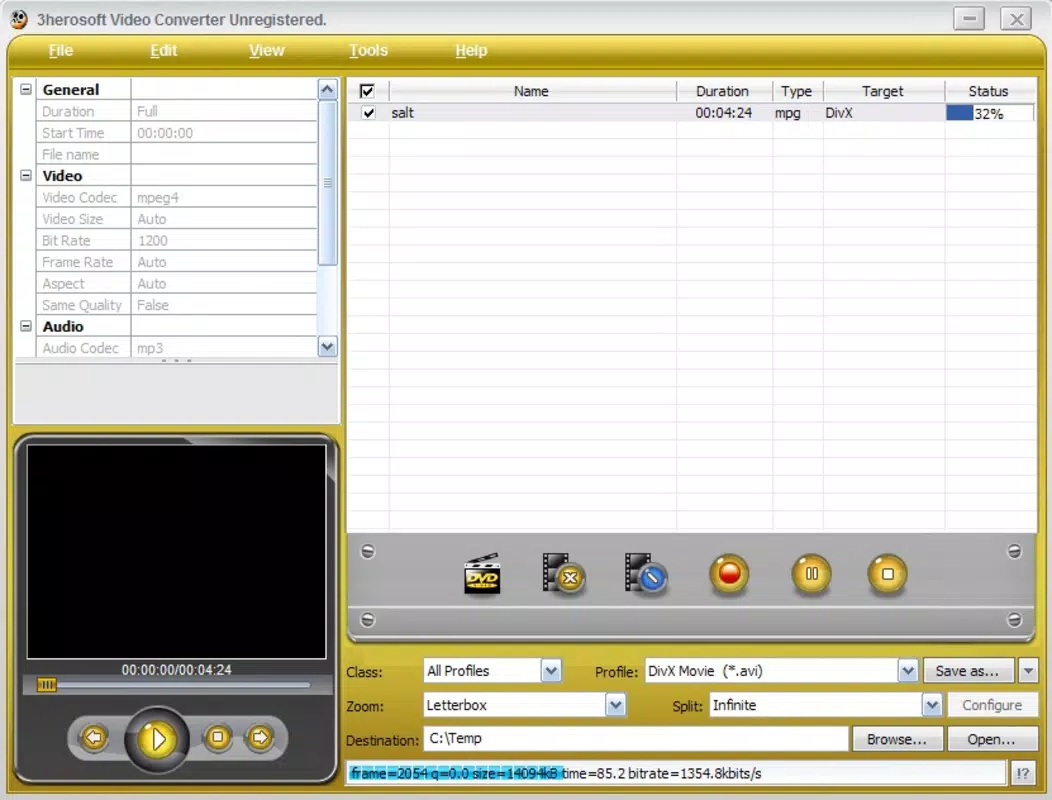
- User-Friendly Interface: The app features a clean, intuitive layout that simplifies the conversion workflow. Even users with minimal technical experience can navigate the tool without difficulty, thanks to clearly labeled buttons and a logical sequence of steps.
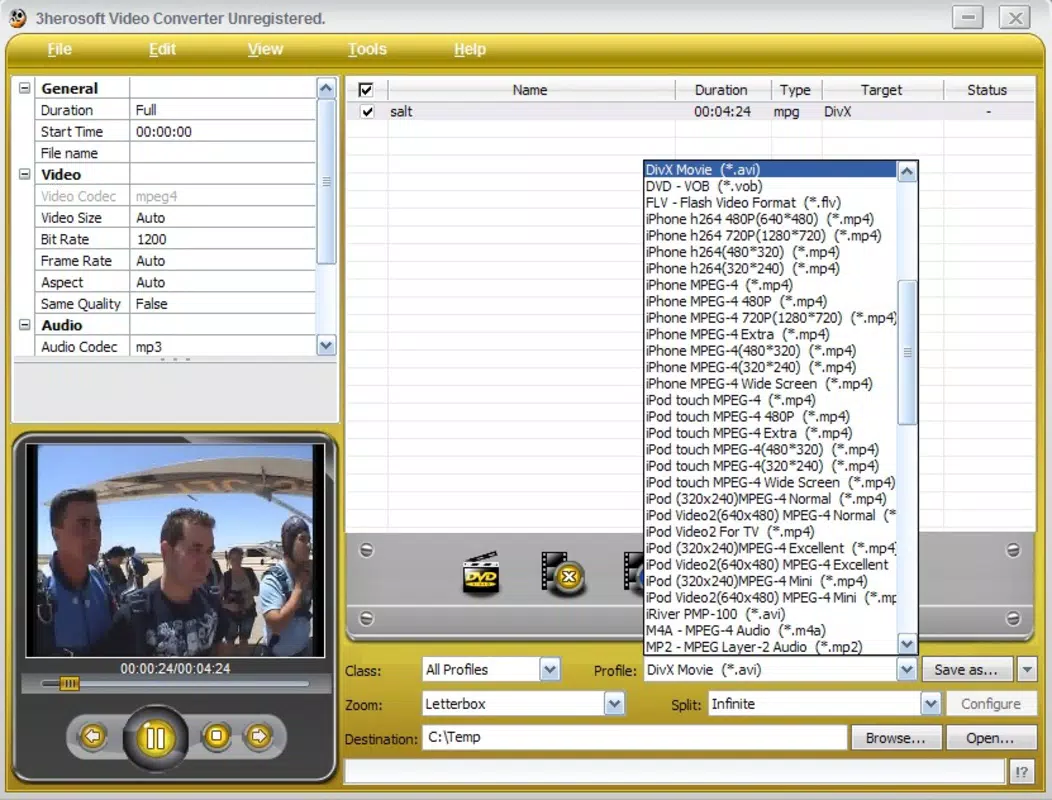
- Multiple Output Formats: It supports a wide array of output formats, ensuring compatibility with popular devices such as iPod, iPhone, PS3, Apple TV, and Xbox 360. This versatility allows users to tailor output files to specific hardware requirements.
- Efficient Video Splitting: For videos exceeding 650 MB, the app includes a file-splitting function. This feature helps manage large files, making them easier to store, transfer, or play on devices with size limitations.
- Quick Conversion Process: The conversion engine is optimized for speed, enabling users to process videos in a matter of minutes. A single click initiates the process, reducing wait times and enhancing overall usability.
- Cross-Platform Compatibility: By converting files into widely supported formats, the app ensures that videos can be played across various platforms and media players, bridging gaps between different operating systems and hardware.
For example, a user with a collection of AVI files can convert them to MP4 for seamless playback on an iPhone. Similarly, a gamer preparing a video for a PS3 can use the app to generate a compatible format without needing advanced technical knowledge. These real-world applications highlight the app’s practical value in everyday media management.
Interface, UX & Performance
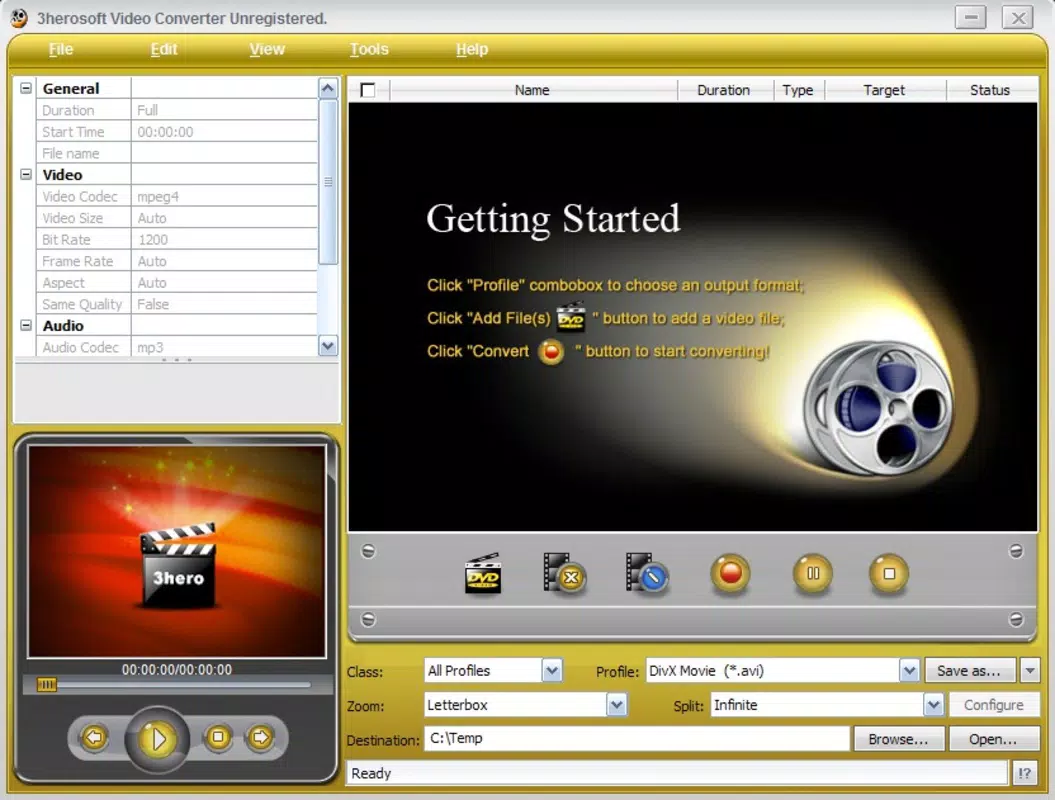
The user interface of 3Herosoft Video Converter is designed with simplicity and efficiency in mind. The layout is minimalistic, with essential controls clearly visible and logically grouped. Navigation follows a linear flow: load video, select output format, configure settings (if needed), and initiate conversion. This straightforward structure reduces cognitive load and supports rapid task completion.
Although the developer did not list formal performance metrics, the app is described as fast and efficient in processing conversions. Users can expect responsive interactions during the setup phase, with minimal lag when loading files or selecting output options. The app maintains stability during typical usage, with no reported issues related to crashes or freezes.
Performance across different device categories is not formally documented. However, the app’s lightweight nature and optimized conversion engine suggest it functions well on a range of devices, including older or lower-end hardware. Responsiveness remains consistent during file processing, and the interface remains accessible even when handling large video files.
Platform Compatibility & Technical Requirements
3Herosoft Video Converter is available for desktop platforms, though specific operating system details were not provided. The app’s file size and version information were not disclosed in the available data. Compatibility with specific versions of Windows or macOS was not listed.
The developer did not specify minimum OS requirements or hardware recommendations. As such, users should verify system compatibility independently before installation. The app’s release date was October 4, 2010, indicating it has been in use for over a decade, which may reflect a stable, well-tested codebase.
Pros and Cons
Pros
- Simple and intuitive interface suitable for beginners and experienced users alike.
- Supports multiple output formats for broad device compatibility.
- Includes video splitting functionality for large files.
- Fast conversion process with minimal user input required.
- Designed for cross-platform media playback without additional software.
Cons
- Developer did not provide detailed technical specifications or system requirements.
- No information on mobile platform availability or app store presence.
- Release date is over a decade old; potential compatibility concerns with modern systems.
- Limited information on update frequency or ongoing development.
- Not confirmed to be available on Android or iOS platforms.
FAQ
Is 3Herosoft Video Converter safe to download and install?
The app is described as a utility tool for video conversion, but specific security certifications or scan results were not provided. Users should download from trusted sources to ensure safety.
Can I use 3Herosoft Video Converter on my smartphone?
There is no confirmed information about mobile availability. The app appears to be designed for desktop platforms, and no Android or iOS version was listed.
Does the app support the latest video formats?
While the app supports multiple output formats, specific details about compatibility with modern codecs or file types were not disclosed.
How often is 3Herosoft Video Converter updated?
The release date was October 4, 2010. The developer did not provide information on update frequency or current development status.
Is 3Herosoft Video Converter free to use?
Price information was not provided. Users should check official sources for current licensing details.
Final Thoughts
3Herosoft Video Converter remains a functional tool for users seeking a straightforward solution to video format conversion. Its clean interface, broad format support, and efficient processing make it a practical choice for managing media across devices. While its age raises questions about modern compatibility, the app continues to fulfill its core purpose effectively for those who need reliable format conversion without complexity.
It is best suited for individuals managing video libraries for older or non-standard devices, or those who prefer a lightweight alternative to full-featured video editing suites. For users requiring a secure, fast, and easy-to-use utility to convert videos for playback on smartphones, gaming consoles, or home media systems, 3Herosoft Video Converter offers a solid value proposition.
Download 3Herosoft Video Converter now


